
SimLab Composer Licensing
After downloading SimLab Composer, the user needs to get and register a license.
The three types of licenses offered by SimLab, and how to request/register them are described below.
The user can request a free trial license to test SimLab Composer, and to make sure it works well with her/his models. The Trial license unlocks all the capabilities of the SimLab Composer. A Trial license automatically expires after 21 days of requesting the license.
To get a free trial license the user should do the following:
- Download and start SimLab Composer, go to File the Register
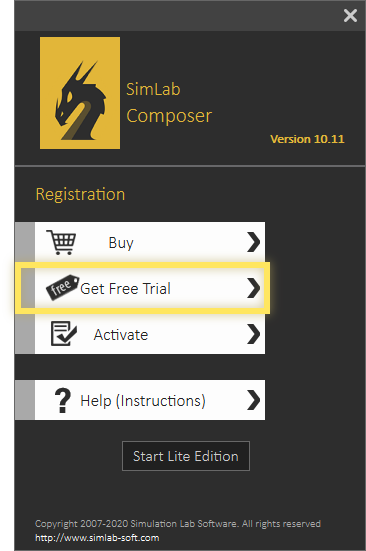
- SimLab License dialog will appear.
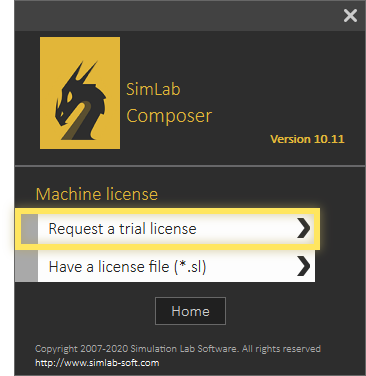
- Click on Get Free Trial button, and the dialog will change.
- Click the Request a trial license button.
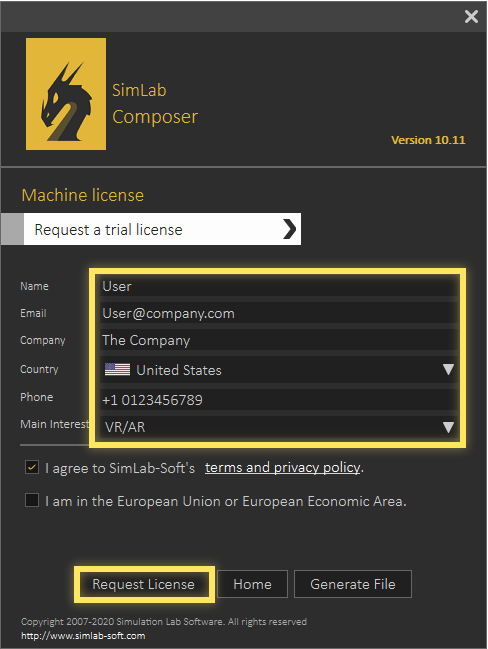
- Fill the fields of Name, Email and Company..etc. The license will be automatically generated and sent to the user by email.
- Then click the Request License button
- An automatically generated trial license file will be sent to the provided e-mail address, you may follow the next steps after recieving the license.
Upon receiving the license:
- Start SimLab Composer, to launch the License Dialog
- Again click the Get Free Trial button.
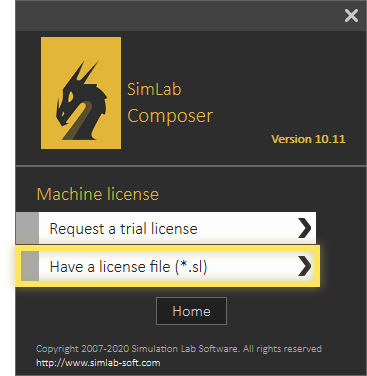
- Click Have a license file (*.sl).
Then browse to the license file, and select it.
If you faced any problem during this process, you can use the following manual process
- Click Generate File.
- Send the generated file with email to license@simlab-soft.com.


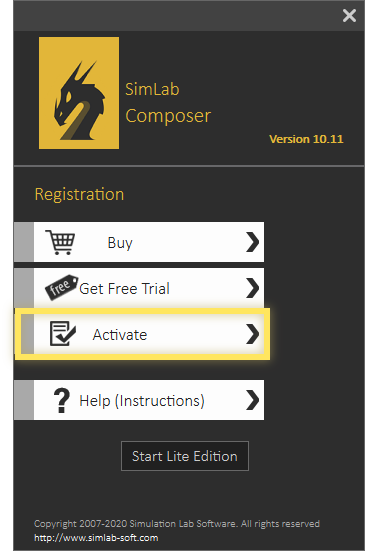
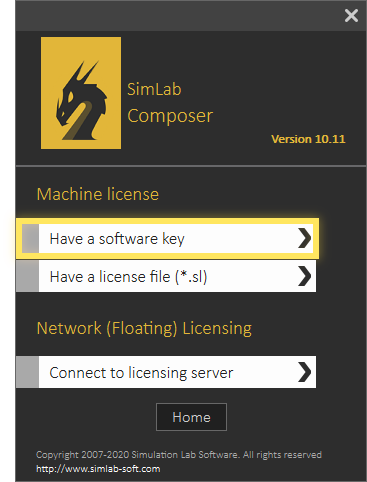
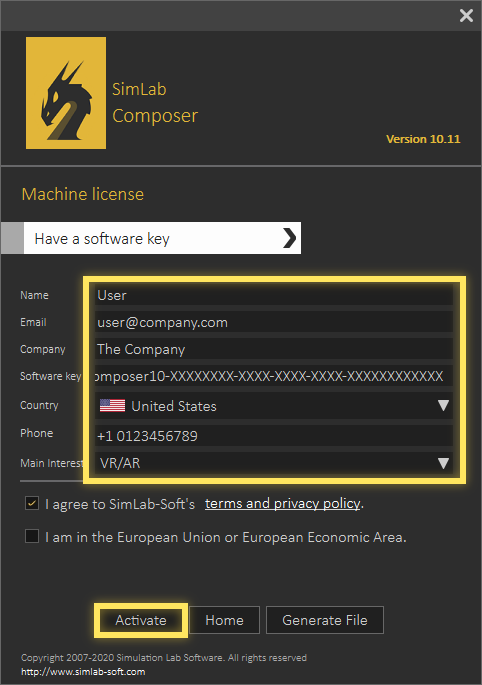
Upon buying a professional license the user will receive a software key that can be used for activating the SimLab Composer, as shown below.
- Start SimLab Composer, to launch the License Dialog, go to File the Register
- Click Activate.
- Click Have a software key.
- Fill the fields of Name, Company, Email and Software key, then click Activate.
If you have a valid net connection the Professional license will be activated automatically..
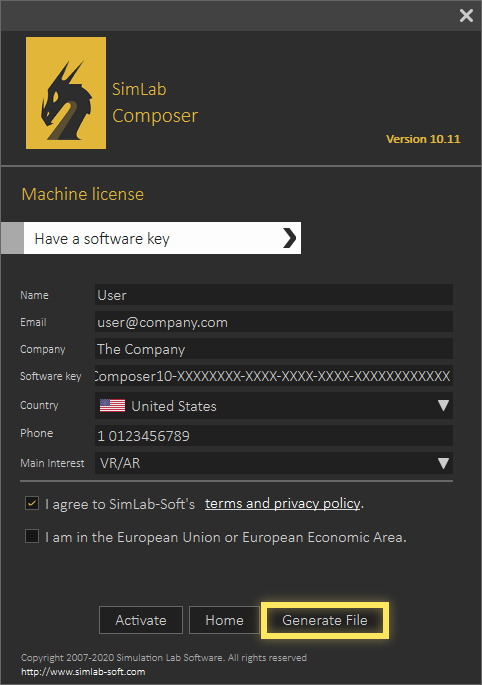
If you faced any problem during this process, you can use the following manual process
- Click Generate file button in the license dialog
- Send the generated file with email to license@simlab-soft.com.
- SimLab support team will send you a license file, responding your information
- Upon receiving a license file, it will be activated by click Have a license file button.
- - Click on Activate.
- - Click on Have a license file.
- - Select the license.
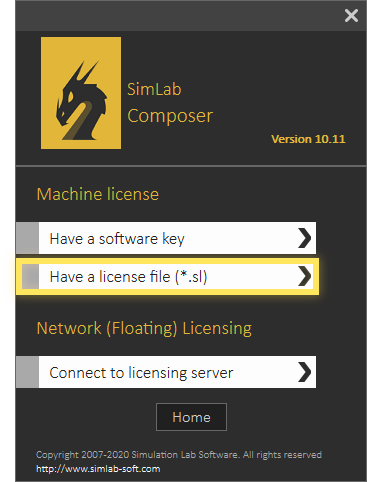
Floating licenses are suitable for a group of users who wants to share the application. The floating license needs to be installed on a stable server machine, accessible by the application users. Users can check out licenses from the server, equal to the number of licenses bought and installed. Once a license is checked out by a user, it can be used continuously without interruption. Other users can use the license as soon as the first user checks it back in.
System administrator should contact license@simlab-soft.com to receive information for installing and configuring SimLab Floating server.