SimLab 插件许可步骤


下载任意 SimLab 3D 插件后,需要注册许可证才能使用。
SimLab 插件提供三种许可证类型:

SimLab Plugins free trial license

免费试用许可证:激活插件 2 周,并将导出/导入次数限制为 30 次。

SimLab Plugins permanent license

永久许可证:允许同一用户在两台不同的计算机上激活插件。

SimLab Plugins floating license

浮动许可证:可安装在服务器上,为连接到该服务器的多个用户提供服务。


  • 启动您的 CAD 应用程序。
  • 在插件菜单中点击 Settings 打开设置面板(通常位于加载项、插件、扩展等选项卡中)。

* 如果您不知道插件菜单的位置,请参阅您的插件页面。 前往 SimLab 插件*
SimLab plugin settings panel


试用许可证会在申请后两周或使用 30 次后自动过期。
要获取免费试用许可证,请执行以下操作:


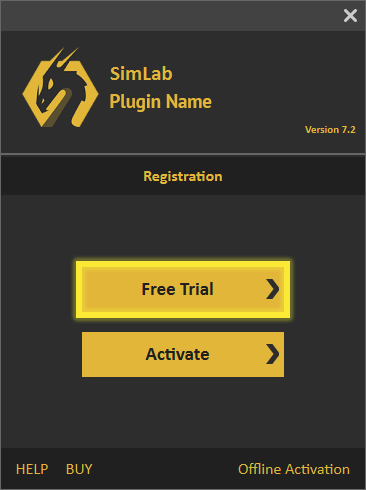
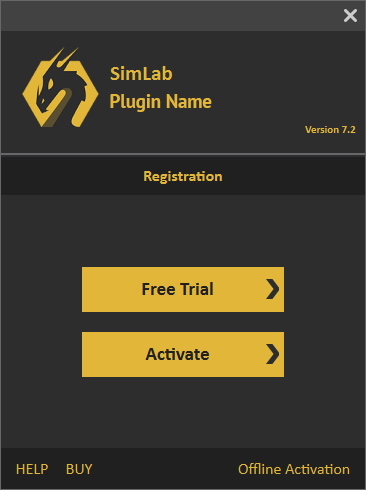
  • 点击“Free Trial”按钮。

  • Free Trial button in the SimLab plugin license dialog

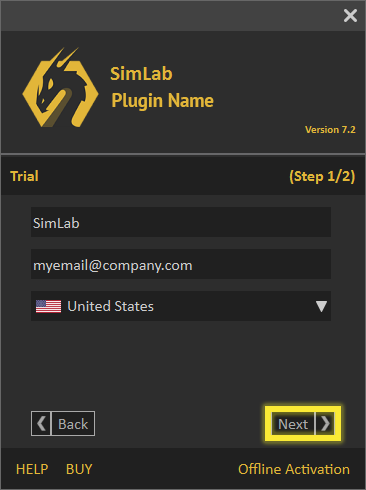
  • 填写必填字段,然后点击“Next”按钮。

  • Trial license request form


收到许可证后:


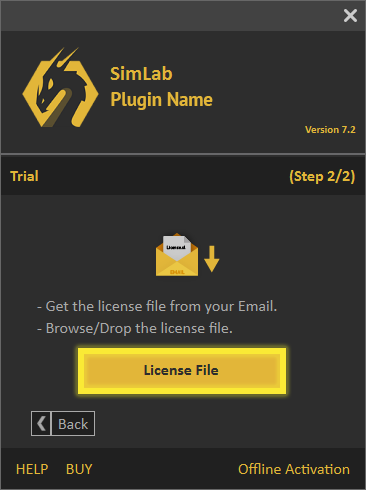
  • 点击“License File”按钮。

  • License File button in the SimLab plugin license dialog

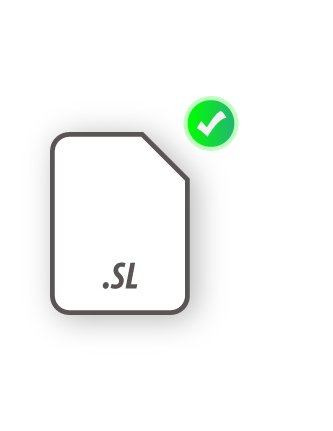
  • 然后浏览并选择许可证文件,以激活试用许可证。

  • Selecting the trial license file


如果在此过程中遇到任何问题,可以使用以下手动流程。

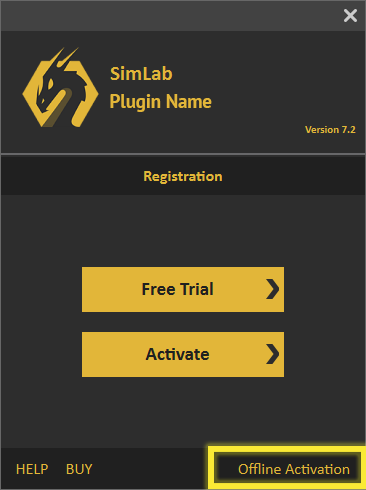
  • 点击对话框底部的 Offline Activation 链接。 Offline Activation link at the bottom of the license dialog

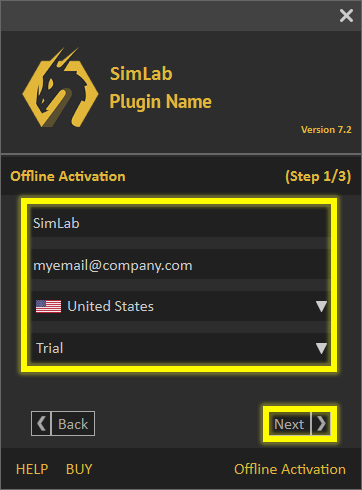
  • 然后填写 Name、email 等字段,选择 Trial,再点击 Next。 Offline trial activation form

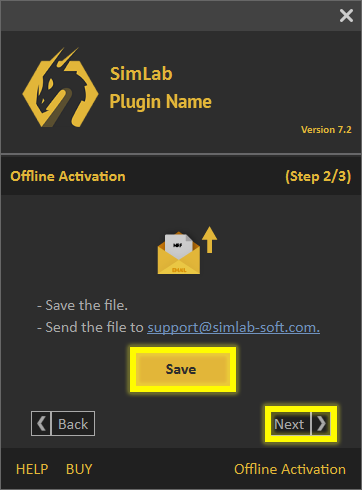
  • 将文件保存到您的计算机,它将保存为 .mrf 文件,然后将该文件发送至 support@simlab-soft.com Saving the .mrf request file SimLab Soft support email

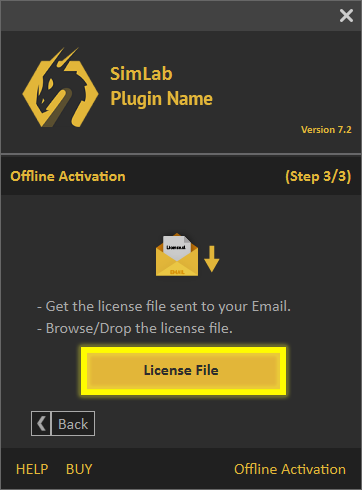
  • 您将收到一个许可证文件,下载后点击 License File 按钮即可开始免费试用。 License File button used to load the received license file


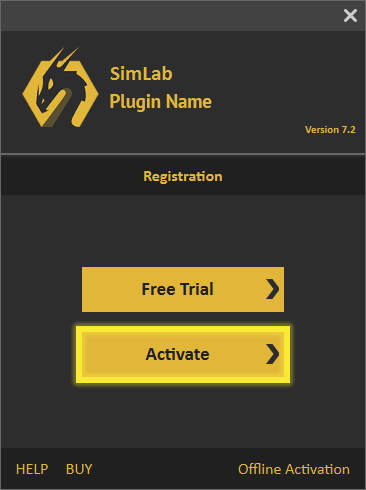
购买专业许可证后,您将收到一个软件密钥,用于激活插件,如下所示。


  • 点击 Activate。
  • Activate button in the SimLab plugin license dialog

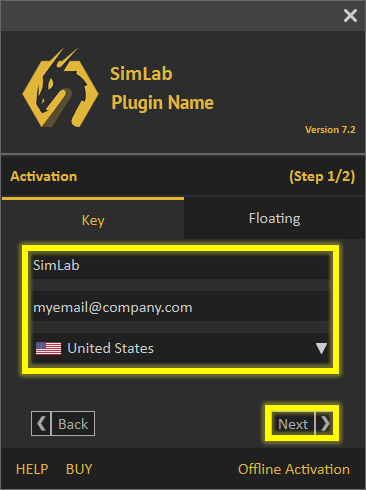
  • 填写 Name、Company、Email 字段,然后点击 Next。

  • Professional license registration form


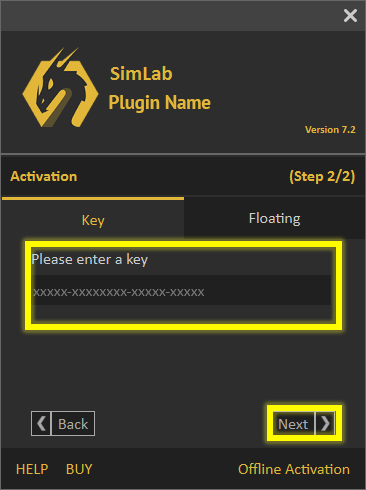
  • 在 Key 字段中填写密钥,然后点击 Next。
    如果您的网络连接正常,专业许可证将自动激活。

  • Entering the software key


如果在此过程中遇到任何问题,可以使用以下手动流程。


  • 点击对话框底部的 Offline Activation 链接。 Offline Activation link at the bottom of the license dialog

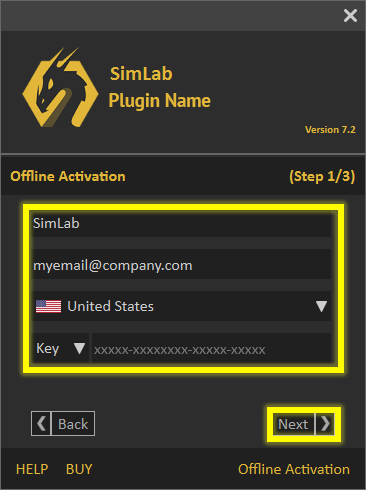
  • 然后填写 Name、email 等字段,选择 Key,再点击 Next。 Offline activation form with Key selected

  • 将文件保存到您的计算机,它将保存为 .mrf 文件,然后将该文件发送至 support@simlab-soft.com Saving the .mrf request file

  • 您将收到一个许可证文件,下载后点击 License File 按钮即可启用您的专业许可证。 License File button used to load the received license file

请按照以下步骤在您的计算机上停用 SimLab 插件的许可证密钥。


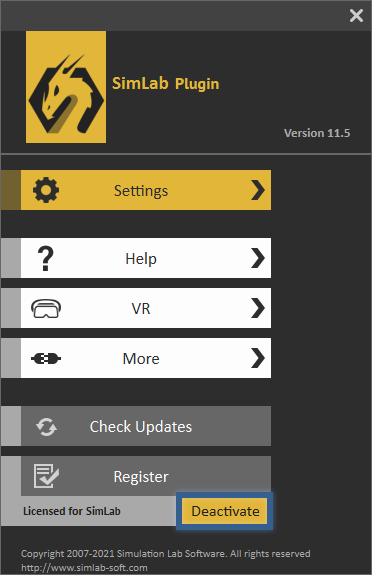
  • 进入插件设置,然后点击“Deactivate”按钮,如下图所示。 Go to the settings of the plugin, then click the Deactivate Button.

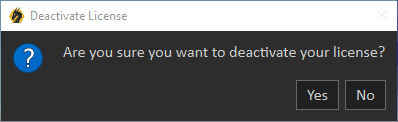
  • 点击“Yes”。现在该许可证即可在另一台计算机上使用。 Click Yes, now the user can successfully move his license to another machine or deactivate it.


系统管理员应联系 license@simlab-soft.com,以获取安装和配置 SimLab Floating 服务器的相关信息。