作曲器

模拟

对模型进行物理和机械仿真,将其转换为动画,并在3D/VR可视化中使用。

shadow
SimLab simulation gear

什么是SimLab仿真工作台


SimLab仿真工作台为您提供了模拟模型的机械和物理属性所需的所有工具,您可以完成所有需要的操作,包括添加碰撞、定义力、创建关节和链接、绘制结果等。

shadow


为什么选择SimLab仿真?


文件支持
More than 25 3D files are supported for import including mechanical formats such as Solid Works, SolidEdge, creo, Parasolid, Acis, and more. Supported Formats

支持导入超过25种3D文件,包括Solid Works、SolidEdge、Creo、Parasolid、Acis等机械格式。支持的格式

简易步骤

Creating Solids, joints, and forces is a relatively easy and straightforward process that doesn't take a lot to learn.

创建实体、关节和力是一个相对简单直接的过程,不需要花费太多时间来学习。

智能工具

Simulations can be converted into different shapes that allow limitless usabilities for them.

模拟可以转换为不同的形状,从而使其具有无限的可用性。

多个输出
Free viewing of VR experiences on all devices

SImLab仿真可以用于各种可视化输出,它可以用于渲染、3D PDF输出、WebGL、VR等。


功能

控制您的模型结构

自动定义所有模型实体和零件,或者手动定义其任何属性和物理特性。

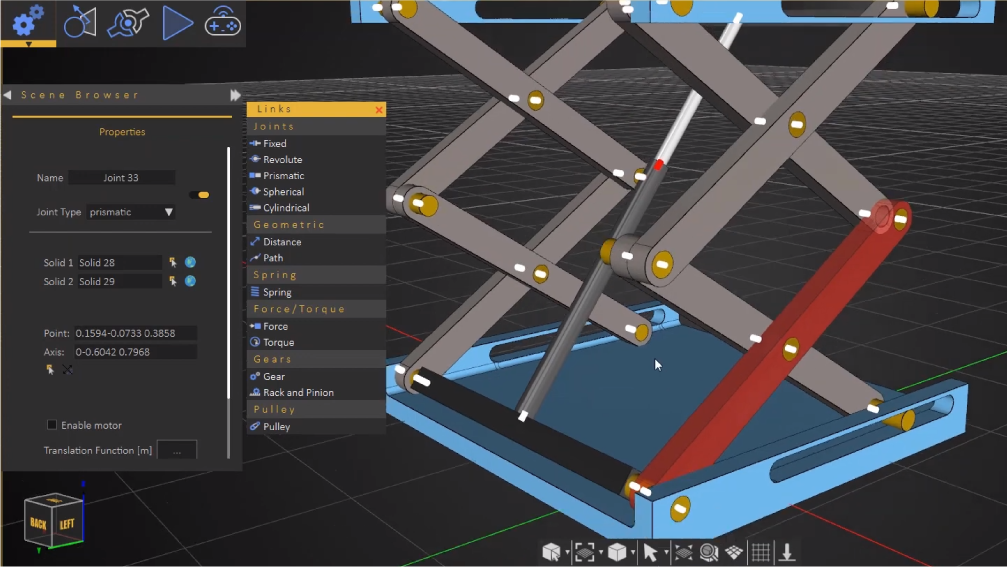
链接和关节

构建您的机械模型,并使用全套可用的基本接头创建高级机械连接。

shadow

力和功率

对机械零件或其特定点施加机械力和扭矩。添加吸收能量的弹簧。通过自定义函数、多项式方程、正弦函数、恒定幅值等控制力的大小。
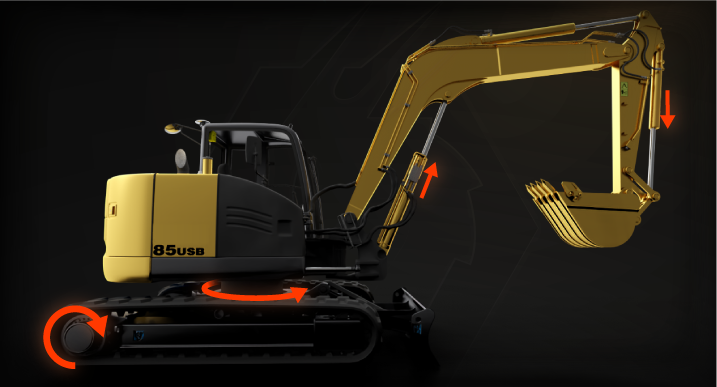
Apply mechanical forces and torques on your mechanical parts or specific points on them. add springs that absorb energy as well. Control the magnitude of forces through custom functions, polynomial equations, sinusoidal, constant magnitudes, and more.
shadow

转换为动画

您可以将模拟转换为动画和动画序列,这些动画和动画序列可用于所有类型的输出,如渲染、VR交互、3D PDF等。

shadow

交互链接

您可以连接和映射一个控制器,在仿真期间控制特定的力和物理属性,以在仿真期间和虚拟现实中影响和互动场景。
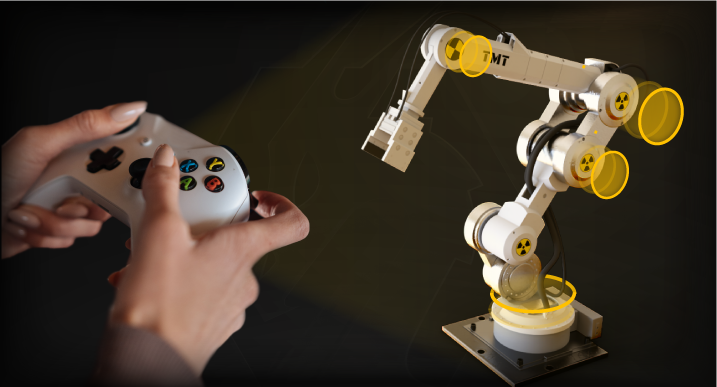
You can connect and map a controller to control specific forces and physical properties during the simulation to affect and interact with the scene during the simulation and on VR.
shadow

图表

可自定义的图表和绘图,读取所有场景的物理属性,如速度、加速度、位置、力等。
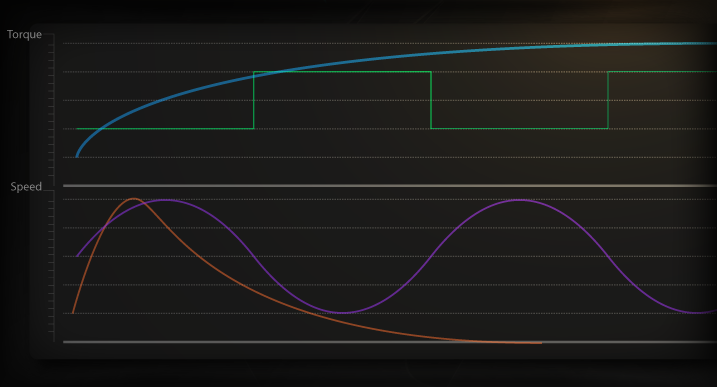
Customizable graphs and plots that read all of your scene's physical properties like speed, acceleration, position, forces, and more.
shadow


在哪里使用?

PDF

仿真可以导出为PDF文件中的动画,任何设备上都可使用Adobe Acrobat查看。
了解更多

WEBGL

您可以上传您的模型,并将其带有仿真的嵌入到网页中,您还可以定义动作以动画方式控制您的仿真。
查看示例

渲染

根据您的模拟创建一个动画渲染电影。
查看示例

虚拟现实

您可以在 VR 体验中以不同方式利用各种动画。了解更多关于创建 VR 体验的信息这里

shadow


怎么做?

How to Simulate