VR for Engaging Presentations
Immersive Product Demos, Interactive Sales Pitches & Memorable Training
Transform how audiences experience your presentations with virtual reality. Create interactive 3D presentations, immersive product walkthroughs, and engaging training experiences. Enable real-time audience participation, boost retention by 300%, and deliver presentations remotely in VR.
VR Presentation Examples
See how businesses are using VR presentations to engage audiences and drive results.
Corporate VR Presentation
Product Demo VR
Training VR Presentation
Interactive VR Experience
The Presentation Challenge
Presentations face a universal problem: audiences disengage with flat slides, forget most content within 24 hours, and struggle to visualize complex concepts. Static PowerPoints can't demonstrate products at scale, show spatial relationships, or create memorable experiences.
Virtual Reality solves this by putting audiences inside your content—walking through products at real scale, interacting with data in 3D, and experiencing concepts rather than just viewing them. All without requiring special technical skills or coding.
Why VR in Presentations?
Virtual Reality transforms how audiences experience and remember your presentations—from passive viewing to active engagement.
Immersive Audience Engagement
Put viewers inside your presentation, not watching from outside. 360-degree environments command attention and eliminate distractions, keeping audiences fully focused on your content.
3x Higher Information Retention
Research shows VR presentations achieve 90% retention vs 20% for traditional slides. Content experienced in VR is remembered because viewers are active participants, not passive observers.
Interactive Product Demonstrations
Let audiences explore products at real scale, rotate components, and interact with features. Perfect for complex products that can't be demonstrated with photos or videos alone.
Remote Collaboration
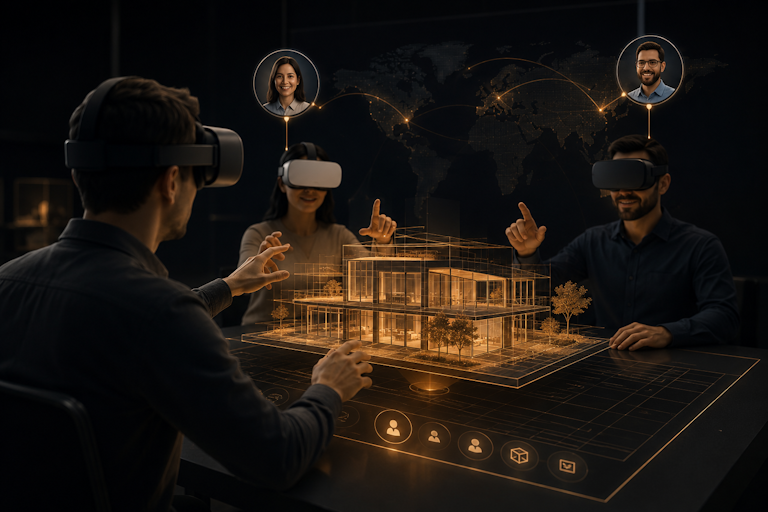
Present to global audiences in shared VR spaces. Multiple viewers can join, ask questions, and interact simultaneously—making remote presentations feel like being in the same room.
PowerPoint to VR Conversion
Transform existing presentations into VR experiences in minutes. No need to start from scratch—import your PowerPoint, add VR elements, and publish across all platforms.
Detailed Analytics
Track which slides viewers engage with most, time spent on sections, and interaction patterns. Use data-driven insights to optimize your presentations for maximum impact.
VR Presentation Use Cases
From sales pitches to training sessions, VR presentations create value across every communication need.
Sales Presentations
- • Virtual product demos
- • Interactive proposals
- • Remote client presentations
- • Trade show experiences
Corporate Training
- • Onboarding programs
- • Safety training
- • Process walkthroughs
- • Compliance education
Product Launches
- • Virtual unveilings
- • Press event experiences
- • Pre-release showcases
- • Investor presentations
Educational Content
- • Academic lectures
- • Technical explanations
- • Conference presentations
- • Workshop materials
Create VR Presentations with SimLab VR Studio
No-code platform for creating interactive VR presentations. Import PowerPoint, add 3D elements, and publish across all devices.
PowerPoint & PDF Import
Import existing presentations directly. SimLab converts slides to VR-ready format while preserving your content, layouts, and design elements.
- ✓ Direct PowerPoint (.pptx) import
- ✓ PDF presentation support
- ✓ Preserve original formatting
No-Code VR Builder
Visual interface for adding 3D models, hotspots, animations, and interactivity. No programming required—just drag, drop, and configure.
- ✓ Drag-and-drop interface
- ✓ Pre-built interaction templates
- ✓ Real-time preview
Multi-Platform Publishing
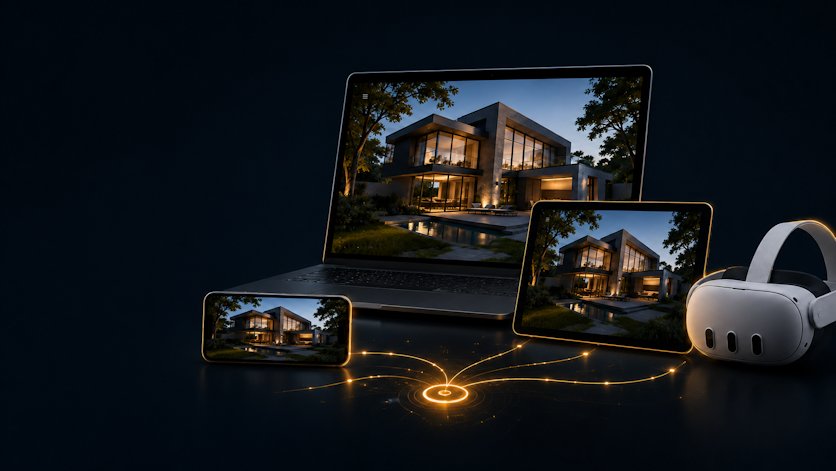
One-click publishing to VR headsets, web browsers, mobile devices, and tablets. Create once, present everywhere.
- ✓ VR headsets (Quest, Vive, Pico)
- ✓ Web browsers (WebGL)
- ✓ Mobile & tablet apps
Engagement Analytics
Track viewer interactions, slide engagement, and presentation performance. Export data for CRM integration and reporting.
- ✓ Session tracking
- ✓ Interaction heatmaps
- ✓ Export to CSV/CRM
VR vs. Traditional Presentations
| Presentation Aspect | Traditional Presentations | VR Presentations |
|---|---|---|
| Content Format | 2D static slides | Interactive 3D environments |
| Audience Engagement | Passive viewing, distractions | Full immersion, focused attention |
| Information Retention | ~20% after 24 hours | ~90% after 24 hours |
| Product Demos | Photos/videos only | Real-scale interactive exploration |
| Remote Presenting | Screen share, flat video | Shared VR space, spatial presence |
| Customization | Limited to slide design | Full 3D environment control |
| Analytics | Basic view counts | Detailed interaction tracking |
| Accessibility | Geographic limitations | Global VR/web/mobile access |
Your Path to VR Presentations
Create Your Own VR Presentations
Get SimLab VR Studio
Start with a free trial or purchase SimLab VR Studio. Access comprehensive tutorials, video guides, and the SimLab Academy to master VR presentation creation quickly.
Import Your Presentations
Load PowerPoint, PDF, or 3D models directly. SimLab converts your existing content to VR-ready format while preserving layouts and design.
Add VR Elements
Enhance with hotspots, animations, 3D models, and immersive environments using the visual interface. No coding needed—just drag, drop, and configure.
Publish & Track Performance
One-click publish to web, VR headsets, and mobile. Share links with audiences and track engagement through the analytics dashboard.
Work with VR Experts
Strategy Consultation
SimLab experts review your presentation goals, audience, and content to design the optimal VR experience strategy for your needs.
Pilot Presentation Creation
We build your first VR presentation together, establishing templates, brand guidelines, and interaction patterns you can replicate.
Team Training
Comprehensive training for your team on VR presentation creation, best practices, and analytics. Become self-sufficient in VR content production.
Ongoing Support
Continue with expert guidance as needed. SimLab provides technical support, platform updates, and strategic consulting as your VR program scales.
Who Benefits from VR Presentations?
Sales Teams
Close more deals with immersive product demonstrations. Let prospects experience products at scale, explore features interactively, and visualize solutions in their environment.
Training Departments
Increase retention and reduce training time with VR. Create memorable learning experiences that employees can practice repeatedly without real-world risks or costs.
Marketing Professionals
Create memorable brand experiences and product launches. Stand out at trade shows, deliver impactful investor presentations, and track what content resonates most.
Educators & Speakers
Deliver unforgettable presentations and lectures. Make complex concepts tangible, engage students actively, and create learning experiences that stick.
Measurable Business Impact
300%
Increase in audience engagement vs. traditional presentations
75%
Higher information retention after VR presentations
50%
Reduction in training time with VR-based content
40%
Improvement in sales conversion with VR product demos
Additional Benefits:
- • Transform existing PowerPoints - No need to start from scratch
- • Present globally without travel - Remote VR presentations with presence
- • Track exactly what content resonates - Data-driven presentation optimization
- • Reduce prototype and demo equipment costs - Virtual products at scale
- • Create once, present unlimited times - Scalable presentation assets
Frequently Asked Questions
How do I create a VR presentation from PowerPoint? +
What equipment do viewers need to experience VR presentations? +
Can I present to multiple people in VR at the same time? +
How does VR presentation analytics work? +
Is coding required to create VR presentations? +
What industries use VR presentations most effectively? +
Ready to Create Engaging VR Presentations?
Join thousands of professionals using SimLab VR to create immersive presentations that audiences remember. Start building your VR presentations today.
See It In Action
Experience a personalized demonstration of VR presentations tailored to your industry and goals.
Start Creating
Try SimLab VR Studio free for 30 days. Import your PowerPoint and create your first VR presentation today.
Free TrialExpert Assistance
Let SimLab experts design and build your VR presentation strategy from the ground up.
Contact Experts