
 SolidEdge plugin
Simlab 3D Plugins \ SimLab rendering for SolidEdge
SimLab rendering for SolidEdge

Benefits
Simlab Plugin for SolidEdge enables the user to add rendering capability to SolidEdge.

Supported platforms
The plug-in is supported on SolidEdge ST2, ST3, and ST4, (32 and 64 bit)
How to use the plugin?
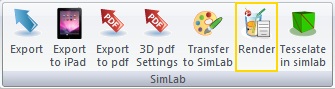
When installing the plugin, it automatically registers itself in SolidEdge, and adds a new add-ins SimLab toolbar. The user will be able to generate photo realistic images of SolidEdge files by clicking the Render button in the new SimLab toolbar.
The user can transfer the model to SimLab Composer to assign advanced rendering materials.
Requesting a trial license
After installing the plugin, start SolidEdge
and click the Render button in SimLab
toolbar.
If the plugin was not registered this will open the license dialog.
Click request trial license. Make sure license type is trial,
and fill the needed information, then click Auto Request.
The license will be automatically generated and sent to you by email
When receiving the license, start SolidEdge and click the
Render button in SimLab toolbar
then activate license and select the license file
you received
Great Value
The price of the professional license of the plugin is $249. With a single professional license; the user is eligible to activate the plugin on two different machines.
The plugin enables SolidEdge users to do the following
Export 3D PDF files
Export to the following file formats:
SketchUp
OBJ material or structure based
Exporting models to IPad
Rendering
Animation
The plugin includes a free version of SimLab Composer Animation edition.