

Full
power of SimLab Composer from inside Solid Edge
SimLab Composer \ Solid Edge integration
Simlab Composer v2.4
- SimLab Composer
- What is new?
- Supported 3D Formats
-

-
- Sample 3D PDF output
- SimLab IPad CAD Viewer
- Tutorials
- Requirements
- Download Free Trial
- Licensing Policy
-


- CAD Integration Components(Plugin mode)
- SketchUp integration
- Rhino integration
- Solid Edge integration
- Maya integration
- Modo integration
- 3DS integration
SimLab Composer \ Solid Edge integration
What is SimLab Composer \ Solid Edge integration?
SimLab Composer \ Solid Edge integration is a free component that gives Solid Edge users access to the full power of SimLab Composer from inside Solid Edge. It should be installed after installing SimLab Composer.
Installing SimLab Composer \ Solid Edge integration component will add the following toolbar under the Add Ins tab in Solid Edge.

Download SimLab Composer \ Solid Edge integration
 SimLab Composer \
Solid Edge integration for Solid Edge ST3 and ST4 \ Windows - 32 bit
SimLab Composer \
Solid Edge integration for Solid Edge ST3 and ST4 \ Windows - 32 bit
SimLab Composer \
Solid Edge integration for Solid Edge ST3 and ST4 \ Windows - 64 bit
Capablities provided by SimLab Composer \ Solid Edge integration
Export 3D models
Solid Edge users will be able to export current models to any of the file formats supported by SimLab Composer including FBX, OBJ, U3D, 3D PDF, and STL
Click here for a full list of supported export file formats.
Export to IPad
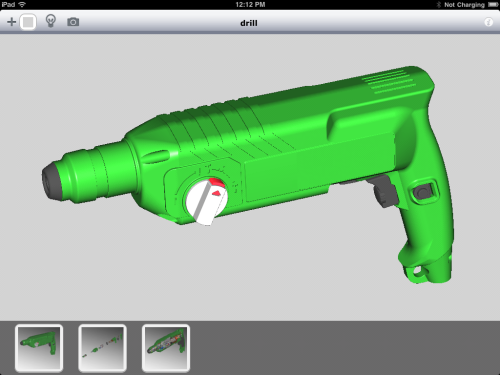
Current model can be exported directly from inside Solid Edge as a SimLab Archive file (*.zim) which can be opened by SimLab CAD Viewer on IPad, IPhone and IPod touch
Transfer to SimLab
The user can transfer current Solid Edge model(s) to SimLab Composer, this will automatically open SimLab Composer in mini (plugin) mode. The user can use mini mode to assign materials from the material library, to change 3D PDF settings, and to create scene states.
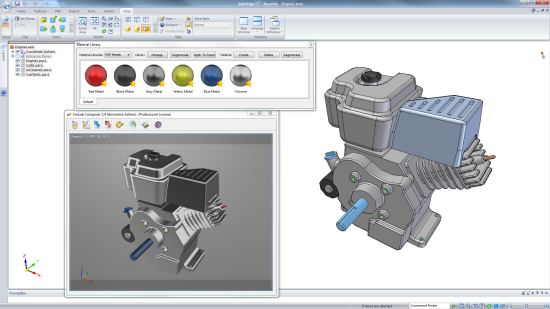
The mini mode was designed to make SimLab Composer work simultaneously with Solid Edge.
Rendering
SimLab Composer Rendering and Animation editions enable the user to render the current model from inside Solid Edge
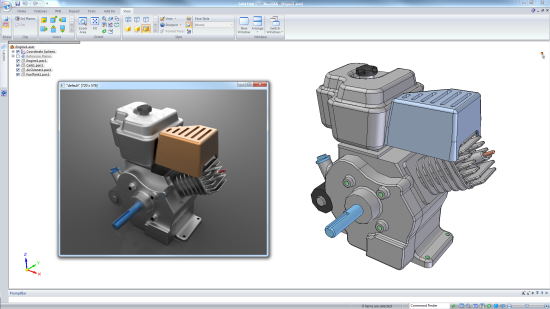
Rendering from inside Solid Edge utilizes SimLab Composer retain material capability, which means it is enough to assign rendering materials once inside SimLab Composer (plugin mode). Performing a rendering from inside Solid Edge after that, on the same model, will automatically update materials to high quality rendering materials, which will make working on multiple stages of the model faster and easier..