
Execution
 Custom Event

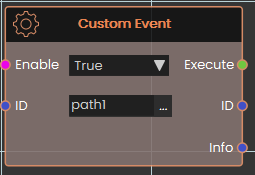
This event is activated manually by the user. It's useful when you want multiple different paths or actions to lead to the same response.
To set it up, use the Trigger Custom Event response and assign it a unique ID (e.g., path1). You can place this trigger in as many locations as needed.
Whenever a Trigger Custom Event is called, it will execute the Custom Event that has a matching ID.
If you want to pass additional info, you can use the info field in Trigger Custom Event response, this data will be passed to the even in the info port
 Scene Start

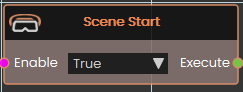
This event is triggered automatically when the scene begins. Use it to initialize elements at startup, such as playing videos, running background animations, or any other setup tasks.
Note: Since this event fires the moment the scene loads, it's recommended to add a small delay before making additional scene changes — this ensures all scene elements have fully initialized before anything else runs.