
Resource
 Delete Resource
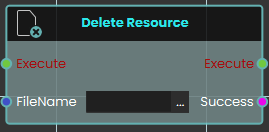
The Delete Resource node enables the system to remove specific resources currently stored in the SimLab File Vault. This node simply requires the exact "FileName" of the target file as an input to execute the deletion. It outputs a "Success" boolean to confirm whether the specified file was successfully removed from the vault.
 Download Resource

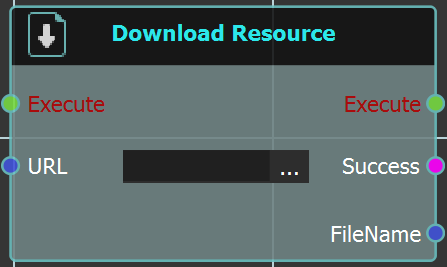
The Download Resource node enables the system to download a specific file directly from the SimLab File Vault while a user is actively engaged inside a VR experience. This node requires the exact URL of the vault file to be linked into the node's input. Upon execution, it retrieves the file and provides a "Success" status alongside the downloaded "FileName" to be used in subsequent logic.
For more information, refer to SimLab Vault tutorial below:
 Upload Resources
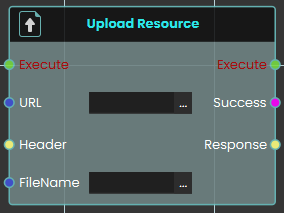
The Upload Resource node enables the system to send and save resources to the SimLab File Vault during a live VR experience. This node requires the destination URL for the file vault, as well as the assigned "FileName" for the file being uploaded and outputs a "Success" boolean.
For more information, refer to SimLab Vault tutorial below: