
Resource
 Delete Resource
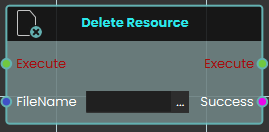
The Delete Resource node enables the system to remove specific resources currently stored in the SimLab File Vault. This node simply requires the exact "FileName" of the target file as an input to execute the deletion. It outputs a "Success" boolean to confirm whether the specified file was successfully removed from the vault.
 Download Resource

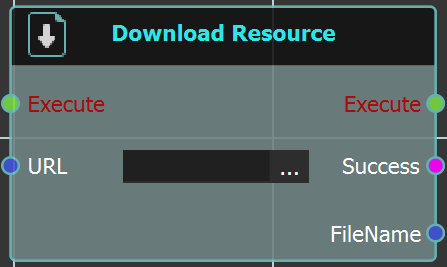
The LoopDownload Resource node enables the usersystem to repeatedly executedownload a connectedspecific responsefile fordirectly from the SimLab File Vault while a specifieduser numberis actively engaged inside a VR experience. This node requires the exact URL of timesthe asvault definedfile to be linked into the node's input. Upon execution, it retrieves the file and provides a "Success" status alongside the downloaded "FileName" to be used in thesubsequent Numberlogic.
Loops
For Eachmore timeinformation, the event connectedrefer to theSimLab loopVault istutorial triggered, the response is executed repeatedly, and the loop continues until the assigned number of repetitions is completed.below:
Example
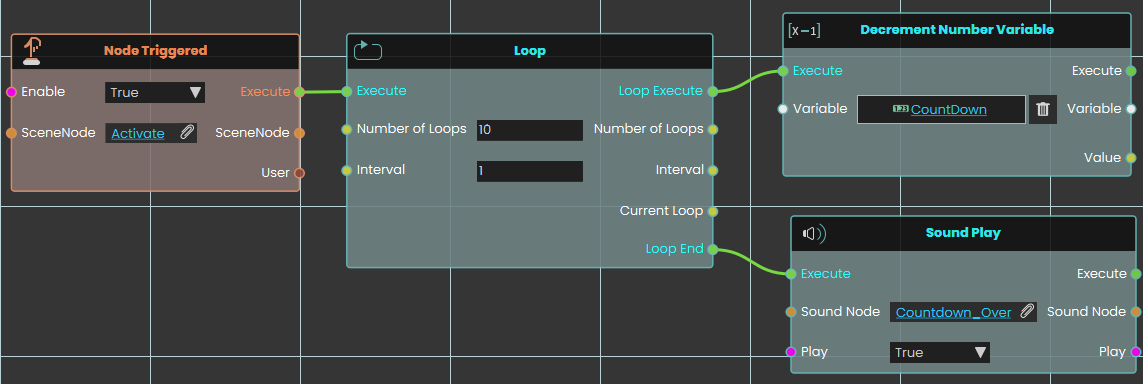
In this example, a Loop node is used to repeatedly execute the connected response that decreases the value of a number variable by one. The Decrement response is repeated for the number of times specified in the Number of Loops field, with the duration between each repetition set in the Interval field. Once the assigned number of repetitions is completed, the sound named Countdown_Over plays.
 Run Script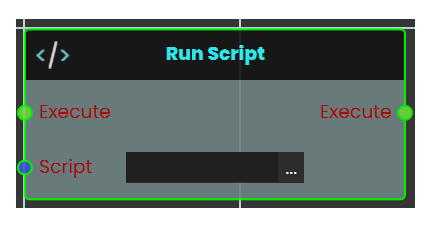
 Upload Resources
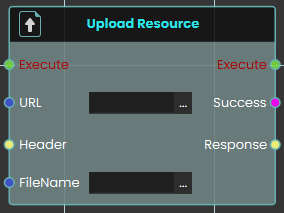
The RunUpload ScriptResource node allowsenables the usersystem to executesend advancedand functionssave usingresources to the LuaSimLab programmingFile language.Vault during a live VR experience. This node providesrequires flexibilitythe bydestination enabling custom scripts to be triggered when an event occurs. AllowingURL for complexthe operationsfile vault, as well as the assigned "FileName" for the file being uploaded and logicoutputs toa be"Success" carried out as defined in the script. This node is ideal for scenarios requiring functionality beyond the standard nodes, offering advanced customization and control over the system.
You can read about Lua Scripting in SimLab Training builder through the following Blog:
Lua Documentation for SimLab Training Builder
boolean.
For more information, refer to SimLab Vault tutorial below: