
SceneNode \ Curve
 Create Curve
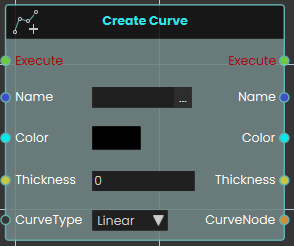
The Create Curve node initializes a new 3D cylindrical line within the VR scene. This is highly useful for creating dynamic visual elements like charts, graphs, or data visualizations.
When activated, it generates a base curve using four primary inputs: a unique text Name (which acts as an identifier required by all other curve-related nodes to target this specific line), a Color, a numerical Thickness value, and a CurveType dropdown that dictates whether the overall line behaves as a smooth curve or rigid straight lines. It then outputs a reference to the newly created CurveNode to continue the logic flow.
 Add Curve Point
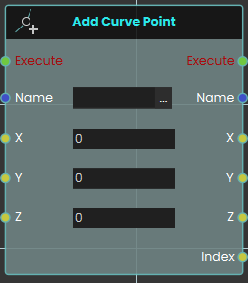
The Add Curve Point node builds upon an existing curve by generating a new point in 3D space. Once activated, the node locates the specific curve identified by the Name input and places a new point at the provided X, Y, and Z coordinates. The system automatically draws a line connecting this newly created point to the previously established point, seamlessly extending the curve. Crucially, this node outputs an Index value—a unique number assigned to this specific point in the sequence (e.g., the 3rd point created gets an index of 3)—which is used to target this point later.