
SceneNode \ Grab
 Ignore grabbing
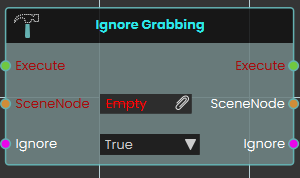
The Ignore Grabbing node explicitly prevents a specific 3D object from being picked up or interacted with by the user's hands during the VR experience. When activated, the node disables the grabbable state of the targeted SceneNode if set to True. This node is highly useful for complex models where you want to enforce realistic interactions by restricting grip points, allowing you to easily exclude certain parts of a grouped object from being grabbed without having to detach or separate the components from the main assembly.
Example:
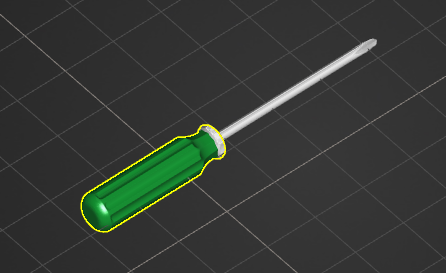
In this example, we configure a screwdriver so that the user can only pick it up by its handle, preventing them from grabbing it awkwardly by the metal rod or tip:
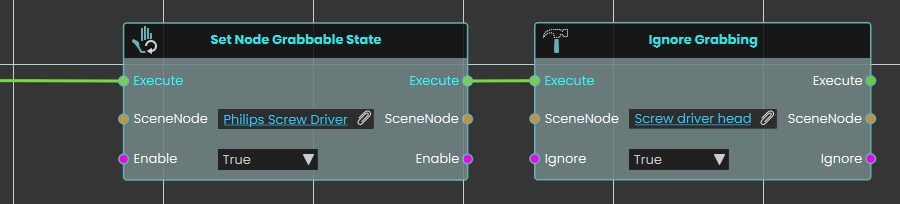
If Set Node Grabbable State node is used on the handle part of the screw driver alone, only the handle will move along with the grabbing hand, leaving the rest of the screw driver's assembly in place. Instead, Ignore Grabbing node should be used to exclude unwanted parts from being grabbed:
-
A Set Node Grabbable State node is activated to make the entire "Philips Screw Driver" parent group grabbable.
-
The execution flow immediately continues into an Ignore Grabbing node.
-
The specific "Screw driver head" object is assigned to the SceneNode input, and the Ignore boolean is set to True.
-
As a result, the metal tip is excluded from being a valid grab target, forcing the user to grab the tool properly by its handle while still ensuring the entire screwdriver assembly moves together as one cohesive object in the user's hand.