
SceneNode \ Transform
 Get Node Transform
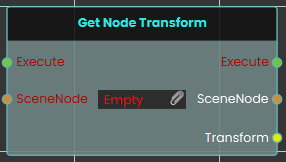
The Get Node Transform node retrieves the complete spatial data—including the exact location, rotation, and scale values—of a specific 3D object in the scene. When activated, the node takes the targeted SceneNode input, extracts its current transform matrix, and outputs this combined information through the Transform pin.
 Set Node Transform
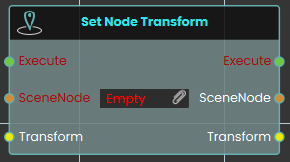
The Set Node Transform node instantly applies a complete set of spatial data—encompassing location, rotation, and scale—to a specific 3D object. Once activated, the node evaluates the targeted SceneNode and immediately updates its physical presence in the scene to perfectly match the data provided through the Transform input.
 Set Node Transform (Animated)
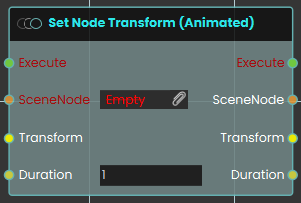
The Set Node Transform (Animated) node functions similarly to the standard set transform node, but it smoothly transitions the 3D object to the new location, rotation, and scale over a defined period. When activated, the node takes the targeted SceneNode and seamlessly tweens its spatial data to match the provided Transform input over the specific amount of time defined by the numerical Duration input (measured in seconds).