
Voice Command

 Voice Command Recognized

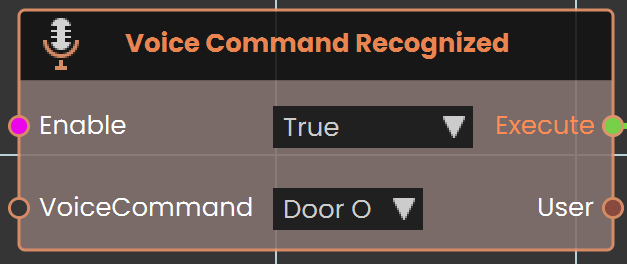
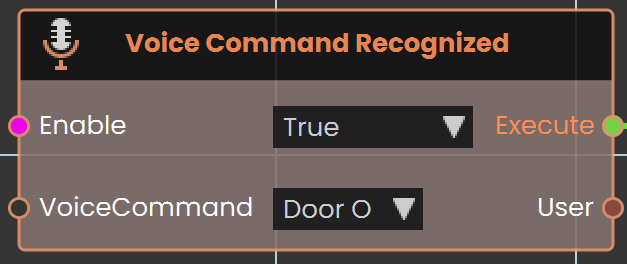
The Voice Command Recognized event is used to activate a response when the user says a specific command. This event listens for predefined voice commands and triggers the associated actions or responses within the VR environment upon recognizing the command.
Example
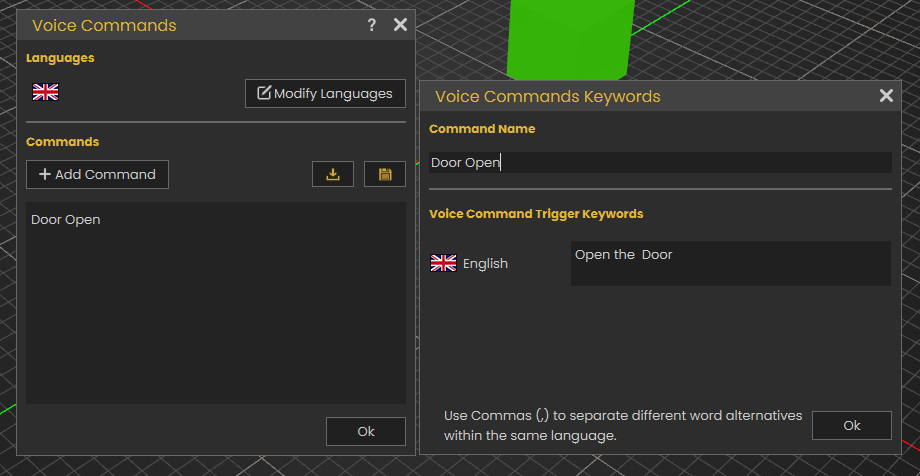
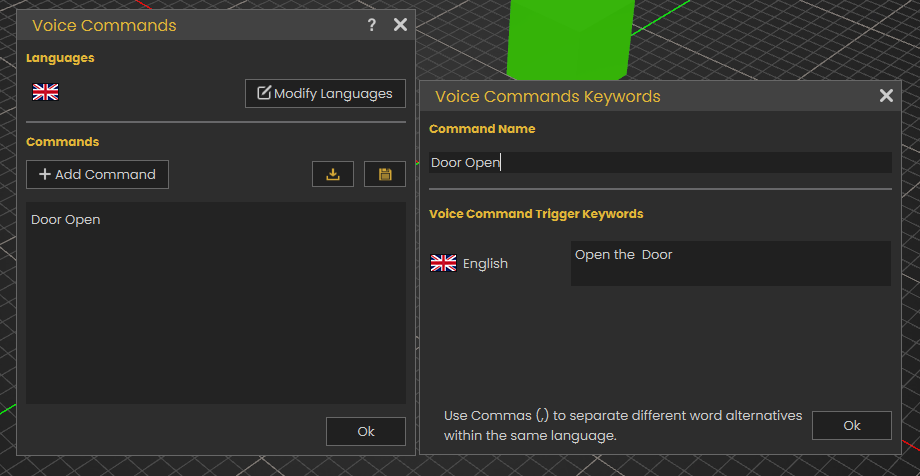
In this example, a new voice command named "Door Open" is created by accessing the Voice Command section from the Interaction menu and adding the command in the Voice Commands window.
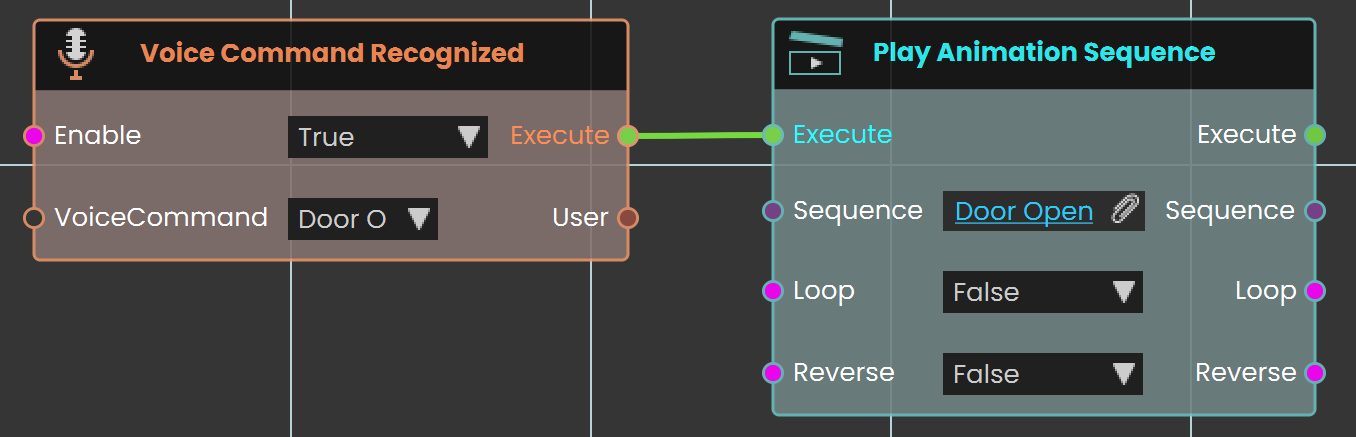
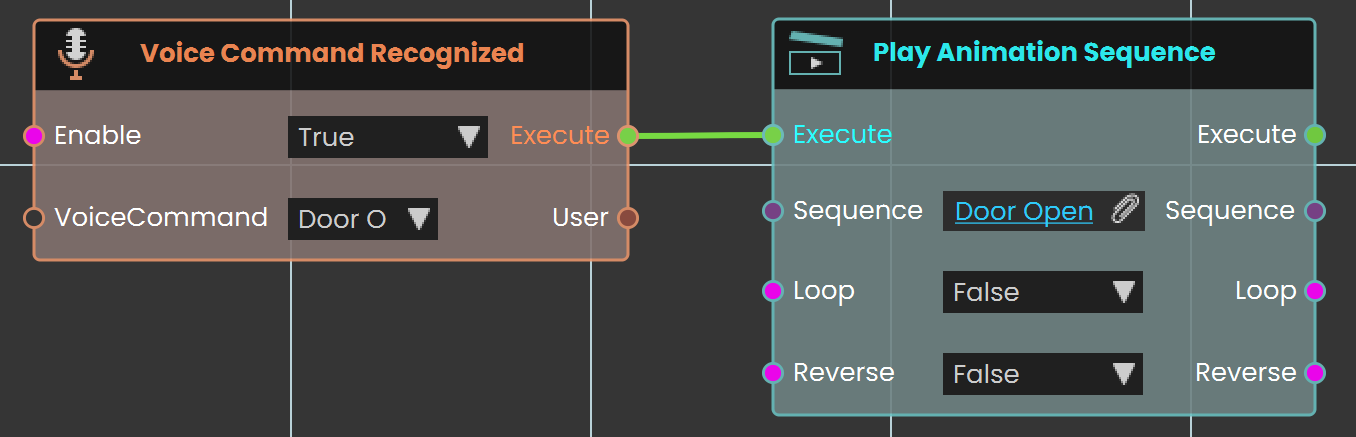
The Voice Command Recognized event is used to link the newly created "Door Open" command. When the user says "Open the door", the door open sequence is triggered and plays.
Voice Command Test
Listens for a spoken voice command and reacts when someone in your scene says one.
What it does
This node waits and listens. Whenever a person in your VR scene speaks a voice command out loud, the node fires on its own — you don’t need anything to trigger it. Each time it fires, it tells you the exact words that were spoken and which user said them, so you can respond to what they asked for.
The node stays active only while its Enable input is true. Set Enable to false whenever you want to stop listening for voice commands.
Inputs
Outputs
Example
true
Command output
open the door
User output
The trainee who spoke the command