
Enhance The Quality of The VR Experience
Different ways of enhancements are available for better quality and performance on the Oculus Quest. Here is the most useful ones:
Optimizing VR Packages
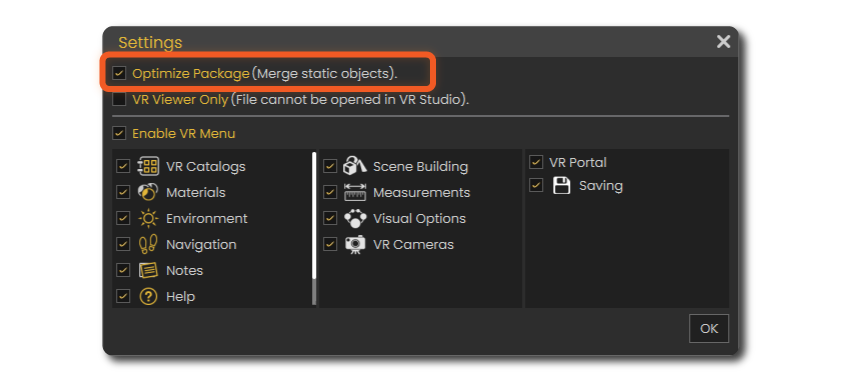
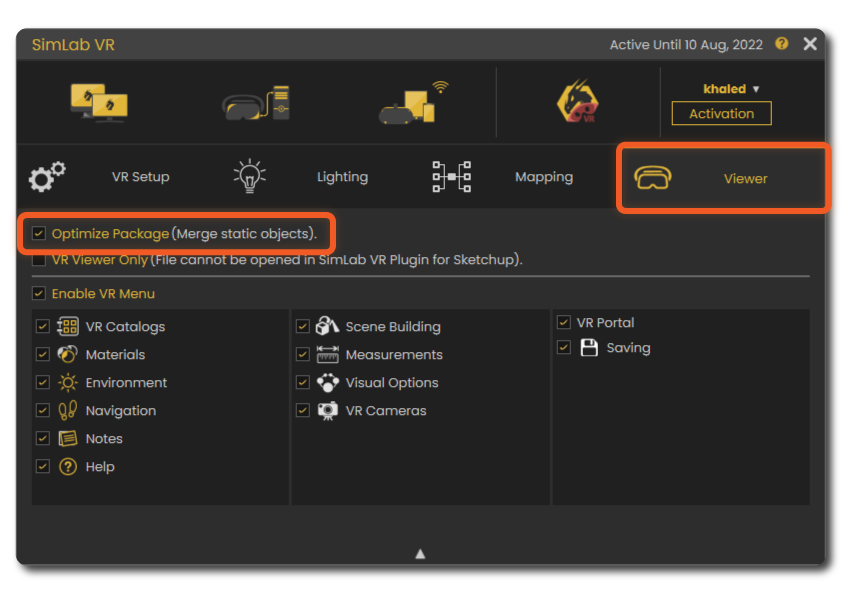
You can just tick this option in the VR settings and the the Geometry of the scene will be enhanced upon export very efficiently giving much smoother and lighter experience without loosing any of the details.
This option is available in both SimLab VR Studio and SimLab VR Plugins for SketchUp and Rhino.
SimLab VR Studio
 Check Optimize Package.
SimLab VR Plugins for SketchUp and Rhino
Textures Optimization
This option is available in both SimLab VR Studio and SimLab VR Plugins for SketchUp and Rhino.
SimLab VR Studio
SimLab VR Plugins for SketchUp and Rhino
Shadows Enable/Disable
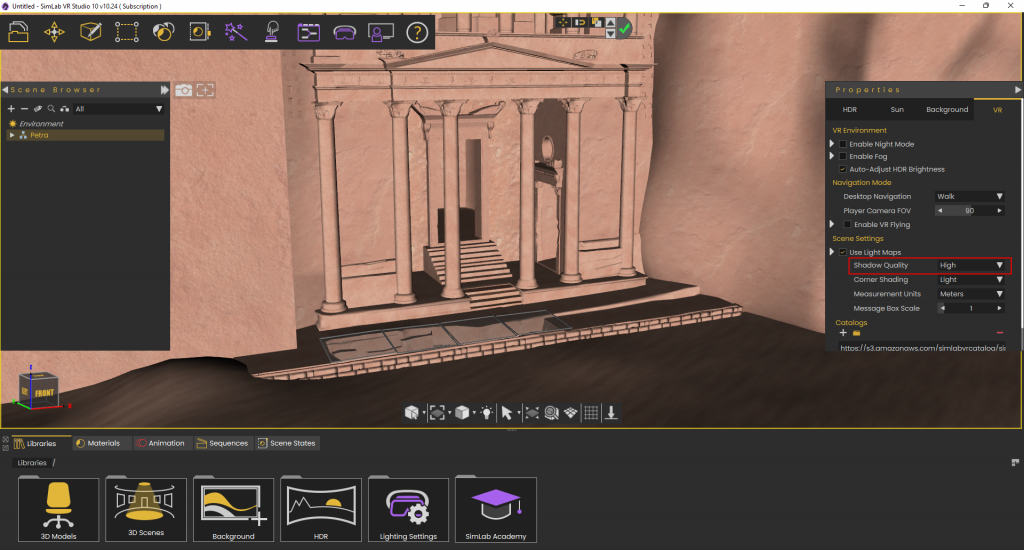
Shadows can improve visual appearance of 3D models significantly. On low end devices likes Quest (Stand alone), Pico, Android, and iOS, shadow calculation can reduce responsivity of the device, which may affect the quality of the VR experience. That is why shadows are turned off by default on those devices to give the user the ability to run larger VR experiences.
If the user decides that the experience is small and should run fine with shadows on those devices, it can be enabled by setting shadow quality in the VR properties.
This option is available in both SimLab VR Studio and SimLab VR Plugins for SketchUp and Rhino.
SimLab VR Studio
SimLab VR Plugins for SketchUp and Rhino

Note: To have shadows working, make sure to install the latest viewer on your device from the free VR Viewer page
Optimizing VR Packages
This option is available in both SimLab VR Studio and SimLab VR Plugins for SketchUp and Rhino.
SimLab VR Studio
SimLab VR Plugins for SketchUp and Rhino
Optimizing VR Packages
This option is available in both SimLab VR Studio and SimLab VR Plugins for SketchUp and Rhino.
SimLab VR Studio
SimLab VR Plugins for SketchUp and Rhino