Why Architects Choose SimLab VR for Virtual Reality Presentations
Seamless CAD Integration, Instant VR Conversion & Cross-Platform Viewing

Immersive Architectural VR Models
Step into your designs and walk through every corner. Impress clients with the ability to explore spaces, adjust lighting, and feel the scale all in virtual reality

Quest and Pico Support
Run and share immersive experiences wirelessly on Oculus Quest and Pico headsets no need for a powerful PC, ensuring flexibility and mobility.


Real-Time Collaboration
Connect with your team or clients in virtual reality to review designs, share feedback, and make decisions together no matter where they are.

Dynamic Material and Lighting Adjustment
Instantly adjust materials and lighting within VR to visualize different design options and create the perfect atmosphere in real-time

Measurements and Notes
Enable designers and clients to take measurements and add annotations in VR, sharing feedback directly with the team for quick adjustments.

Utilizing SimLab VR Across Your Workflow
From stunning portfolios to immersive presentations,
SimLab VR elevates every design phase
Create VR Architecture Portfolios
Create immersive and interactive VR designs effortlessly

Rapid VR experiences creation by Quickly design and buildimmersive VR experiences with intuitive, user-friendly tools.

Upload and share VR designs across all devices effortlessly making your work accessible anywhere.
Refine Architectural Designs in VR
Enhance your design process with integration and real-time editing

Import 3D models and designs from AutoCAD, Revit, SketchUp, and more.

Adjust materials, lighting, and layouts dynamically in VRR

Take measurements, add notes and send feedback directly to the designer.
A seamless flow from CAD to VR
See your CAD model come to life in virtual reality. Immerse yourself in a 3D environment where you can take measurements, add notes, and interact with the design in real-time to gain valuable insights.
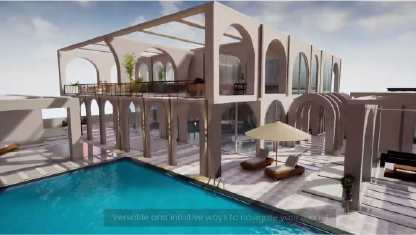
VR Client Presentations for Architecture
Deliver captivating, interactive VR experiences

Clients can explore designs in 3D VR and customize materials, lighting, and layouts.

Share VR presentations seamlessly across mobile, PC, Quest, and Pico.

Clients and colleagues can join live VR sessions to give instant feedback and work together in real time.
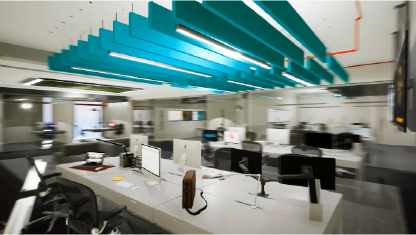
Architectural Visualizatoin Demo
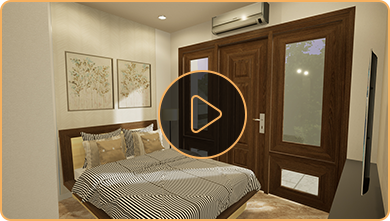
Step into a company's interior design in VR, where you can explore detailed layouts, lighting, and materials in a fully immersive, interactive environment.
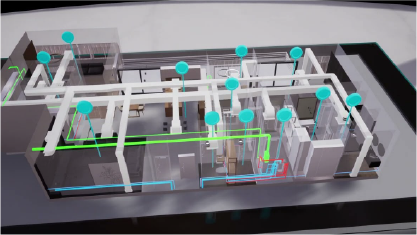
Digital Twin VR for Real Estate
Streamline property management

Easily track sold, leased, or available properties with real-time occupancy updates.

Provide clients with interactive VR tours of available properties, enabling exploration anytime, anywhere.

Monitor real-time utility usage and schedule maintenance to optimize propertymanagement.
Digital Twins Demonstration Video
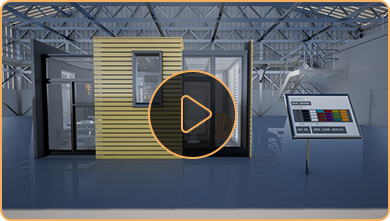
Explore how digital twins transform real estate by tracking vacancies, utility usage, and maintenance schedules in action.
SimLab VR
Architects and Real Estate examples
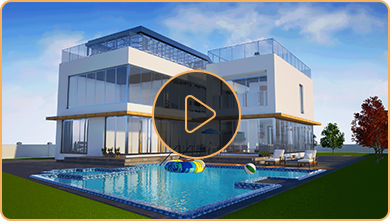
See SimLab VR in action, watch demo videos showcasing how architects bring designs to life in VR.
Try SimLab VR
Experience SimLab VR firsthand create, share, and explore immersive designs today!
VR Creation

#1 Code free VR creation tool
SimLab VR Studio lets you easily import 3D models from design applications like Revit, AutoCAD, and SketchUp to create immersive VR experiences quickly. It offers high-quality visuals, extensive resources, tutorials, and dedicated support to ensure a smooth creation process.
VR Viewing

Free Cross-Platform VR Viewer
SimLab VR Viewer is a Free app that runs on Mac, PC, mobile devices, tablets, VR headsets (Quest and Pico), and mixed reality devices. It lets users run, share, and collaborate on VR experiences, providing a seamless way to engage with 3D models and virtual environments across various platforms.
FAQs: VR for Architects & Architecture Firms
How does SimLab VR enhance architectural design presentations for clients?
SimLab VR transforms design concepts into immersive virtual spaces, allowing for captivating client presentations with lifelike virtual environments where clients can explore, customize, and provide instant feedback in live VR sessions. Studies show 81% of buyers appreciate VR property tours, making it a powerful tool for winning projects.

Can I import my designs from Revit, AutoCAD, or SketchUp into SimLab VR?
Yes, SimLab VR offers CAD integration, facilitating easy import and editing of designs from popular CAD software like Revit, AutoCAD, SketchUp, and Rhino.
Does SimLab VR support real-time collaboration for architectural design teams?
Yes, SimLab VR supports real-time collaboration, connecting teams and clients in VR for design review, feedback sharing, and collaborative decision-making regardless of location.
What VR headsets are compatible with SimLab VR for architecture?
SimLab VR supports Oculus Quest and Pico headsets for wireless sharing and running of immersive experiences, as well as PC/Mac, mobile devices, and tablets via SimLab Viewer.
How can SimLab VR help in detecting design conflicts early in the process?
SimLab VR allows for immersive 3D model exploration and real-time adjustments, enabling early detection of potential clashes and design conflicts, which reduces errors and miscommunication in the construction phase and saves time and money.